How to Host a BlightFall Server
Hosting an BlightFall server for your friends is easy, even if you’re new to Minecraft Modpacks. in 3 easy steps :
- Click "Order BlightFall Now" to get started.
- Pay and instantly receive your server details in your inbox.
- Log into Multicraft, BlightFall is pre-installed and ready to join.
What else can I do?
- Upload your world with the easy drag-and-drop World Manager.
- Whitelist your friends or make them co-owners.
- Customise config settings directly in the control panel.
- Add extra mods and plugins to your server for more fun.
- Explore 1756+ modpacks with the One Click & Play installer, completely free!
The planet seemed perfect, almost good enough to make a colony on
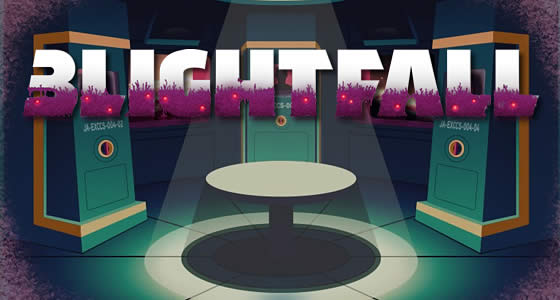
Blightfall Server Hosting combines modpacks with the love of adventure maps. Survive against Thaumcraft taint filling throughout the world. Make sure to harness some Forbidden Magic to utilize the technology of MineFactory Reloaded too.
- Don’t die else you risk the chance of being a Tainted Player
- Food will be scarce so get into Cooking for Blockheads
- Metallurgy adds new and useful ores to the game
- The VoxelMap can help guide you away from danger
Watch this Quick Start Guide to Blightfall…
Watch on YouTube
The Summary and Expectations of your Blightfall Server
It looked like a perfect planet. plans to make a colony ship started that very day. But now that we’ve arrived, it’s clear that things are not as they first appeared. A seething, teeming purple biomass covers the surface, spewing forth malign alien entities that cruelly murdered the initial scouts. We aren’t sure if the scans were wrong or if Space command was just lying to us, but this is not the paradise we were promised.
Blightfall sends you and your potential buddies down on the surface of this hostile planet. This is the last attempt for the crew before taking the Jaded and her colonists back to Homeworld. Explore this Thaumcraft tainted world with a risk of becoming Tainted Players. As long as you harness Metallurgy metals into the MineFactory Reloaded technology, you shouldn’t have any issues. But.. to be safe, grab some Forbidden Magic found on the planet just to be extra cautious.
Why Choose StickyPiston for Your BlightFall Server?
StickyPiston isn’t just another hosting company - we’re the ONLY Minecraft host with 15 years of experience dedicated exclusively to Minecraft. That means we live and breathe this game, just like you. Our obsession with Minecraft ensures you get the smoothest, most reliable hosting experience possible. More Reasons …
We’ve tackled 99% of server problems out there and fixed them, so you can focus on playing without interruptions. Our bulletproof, speed-optimized network keeps your server running flawlessly, letting you enjoy Minecraft all day long without a hitch.
And if something ever goes boom in the night? Our expert team is ready to jump in and help. These are hardcore Minecraft pros who know Vanilla, snapshots, Modpacks, and plugins inside and out. When they’re not helping you, they’re streaming, building minigames, doing MC quizzes or exploring the endless Minecraft universe themselves.
We’ve got you covered with a 14-day money back guarantee - so you can try us out, risk-free. Plus, our managed server support means you’ll never have to go it alone.
Need a break? Deep Freeze your server for just 1.00 (£$€) a month - pause it as long as you need and pick up right where you left off. No hassle, no stress, just flexibility.
So, who else would you trust with your BlightFall server?
How to create a world in Blightfall
Your Blightfall Server comes with the World Manager. Use it to quickly switch between various world presets and manage the worlds you create.
The World Manager is built into your StickyPiston Server and offers simple world creation and management tools. Here is how to set the World Template on your Blightfall Server.
- Click on World Manager
- Click Create New World
- Give it a World Name and configure the World Settings
- Choose a Template you wish to play on
- Scroll down and click Create New World
The World Manager is a powerful tool with much to offer. To find out more or if you get stuck along the way, read more about the World Manager.
If you’re still unsure what to do, we are ready to help you get back on track. Just open up a support ticket and we’ll sort it.