How to Host a Astroblock 2 Server
Hosting an Astroblock 2 server for your friends is easy, even if you’re new to Minecraft Modpacks. in 3 easy steps :
- Click "Order Astroblock 2 Now" to get started.
- Pay and instantly receive your server details in your inbox.
- Log into Multicraft, Astroblock 2 is pre-installed and ready to join.
What else can I do?
- Upload your world with the easy drag-and-drop World Manager.
- Whitelist your friends or make them co-owners.
- Customise config settings directly in the control panel.
- Add extra mods and plugins to your server for more fun.
- Explore 1750+ modpacks with the One Click & Play installer, completely free!
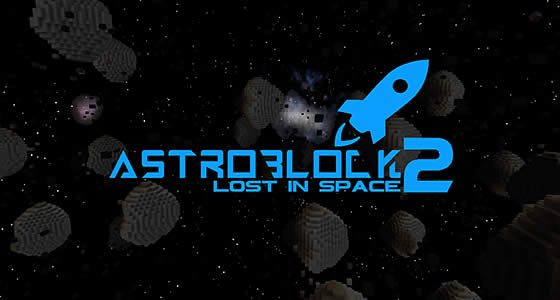
Focused on space exploration, this modpack leaves you stranded in the Astreroid Belt
Astroblock 2 – Lost in Space leaves you in the middle of nowhere, focused on trying to survive in the coldest reaches of space.
- Venture out in the depths of GalaxySpace and find various new planets
- Explore the life of these Intersteller: ExoPlanets to find a new living
- Use various Galacticraft rockets to explore further into space and find more planets under Galacticraft Planets
- Create a new world near the end-game through the StarMaker
Astroblock 2 focuses on a new journey and a bit of a story to getting stuck within the confines of this Asmodeus space.
While traveling in the asteroids, you suddenly have lost contact with your home planet – Earth. You check the map within your ship, hoping to see if it’s still around, but alas. Earth has disappeared off the intergalactic map. What could have happened? With Earth no longer around, there is no way to get back home. Stuck in the middle of space, running out of supplies alongside oxygen, it’s your job to keep on going for the human race. You keep your chin up high as you search for a habitable planet in hopes for keeping the human race alive.
Finding a way to a new habitable planet will not be easy, especially when the Overworld mobs have started spawning across the Asteroid Belt too. Keep yourself protected through the Gravity Gun, a gun that allows you to push mobs away and control where blocks move to. Generate power and give yourself a better chance of survival with Inventory Generators, allowing access for easy Simply Jetpacks 2 fuel. Explore the ruined structures of the Cargo Spaceships, Science Laboratories, and Alien Bases within Star Wars for Minecraft.
Why Choose StickyPiston for Your Astroblock 2 Server?
StickyPiston isn’t just another hosting company - we’re the ONLY Minecraft host with 15 years of experience dedicated exclusively to Minecraft. That means we live and breathe this game, just like you. Our obsession with Minecraft ensures you get the smoothest, most reliable hosting experience possible. More Reasons …
We’ve tackled 99% of server problems out there and fixed them, so you can focus on playing without interruptions. Our bulletproof, speed-optimized network keeps your server running flawlessly, letting you enjoy Minecraft all day long without a hitch.
And if something ever goes boom in the night? Our expert team is ready to jump in and help. These are hardcore Minecraft pros who know Vanilla, snapshots, Modpacks, and plugins inside and out. When they’re not helping you, they’re streaming, building minigames, doing MC quizzes or exploring the endless Minecraft universe themselves.
We’ve got you covered with a 14-day money back guarantee - so you can try us out, risk-free. Plus, our managed server support means you’ll never have to go it alone.
Need a break? Deep Freeze your server for just 1.00 (£$€) a month - pause it as long as you need and pick up right where you left off. No hassle, no stress, just flexibility.
So, who else would you trust with your Astroblock 2 server?