How to Host a Dragons Server
Hosting an Dragons server for your friends is easy, even if you’re new to Minecraft Modpacks. in 3 easy steps :
- Click "Order Dragons Now" to get started.
- Pay and instantly receive your server details in your inbox.
- Log into Multicraft, Dragons is pre-installed and ready to join.
What else can I do?
- Upload your world with the easy drag-and-drop World Manager.
- Whitelist your friends or make them co-owners.
- Customise config settings directly in the control panel.
- Add extra mods and plugins to your server for more fun.
- Explore 1750+ modpacks with the One Click & Play installer, completely free!
Explore a world conquered by Dragons and willing to work with humans
Important Note – If you are going to play Dragons, make sure you set your Client RAM correctly. This is to eliminate client lag.
Dragons Server Hosting provides new creatures within the lands and it’s your goal to collect them all. Using Dragon Mounts to find these beast, you’ll be able to catch them without trouble. Electroblob’s Wizardry can help you with fighting them in case you’re having trouble taming them on a first encounter. Just don’t get them confused with the Ice and Fire dragons, otherwise you will get burnt over.
- Cool Exotic Birds go about your world and lay nests for you to discover
- New and unique animals and items are adding through Zoocraft Discoveries
- Feel Minecraft’s balance return to how it was before with Grimoire of Gaia
- Classic Combat is a simple mod that brings back 1.8’s combat system
Watch this Quick Start Guide to Dragons…
Watch on YouTube
Quick Summary of the Dragons Modpack
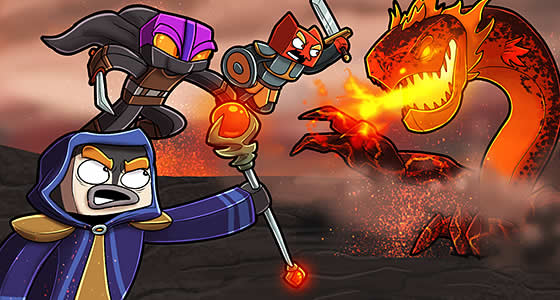
Tame the most foul of beast within the Dragons Modpack. There’s not only these fire breathing lizards in this pack, but many different types of large and deadly beasts lurking about. It’ll be up to you to tame them all and fight back against others trying to take a hold of your own success.
What to Expect out of your Dragons Modpack Server
Have fun taming the Dragons around in this modpack. Explore vast regions and lands as you go on a monster taming quest filled with magic. Using Dragon Mounts to provide these creatures to you, you’ll find ways to raise and care for your own dragon. You can then use them to grow into mighty warriors and pets for your own needs. They’ll be able to combat those of Ice and Fire monsters without as much of a problem. Of course when it comes to other dragons, you might want to help them out by learning Electroblob’s Wizardry so you can enhance their power and give better abilities to yourself in case you get separated.
Why Choose StickyPiston for Your Dragons Server?
StickyPiston isn’t just another hosting company - we’re the ONLY Minecraft host with 15 years of experience dedicated exclusively to Minecraft. That means we live and breathe this game, just like you. Our obsession with Minecraft ensures you get the smoothest, most reliable hosting experience possible. More Reasons …
We’ve tackled 99% of server problems out there and fixed them, so you can focus on playing without interruptions. Our bulletproof, speed-optimized network keeps your server running flawlessly, letting you enjoy Minecraft all day long without a hitch.
And if something ever goes boom in the night? Our expert team is ready to jump in and help. These are hardcore Minecraft pros who know Vanilla, snapshots, Modpacks, and plugins inside and out. When they’re not helping you, they’re streaming, building minigames, doing MC quizzes or exploring the endless Minecraft universe themselves.
We’ve got you covered with a 14-day money back guarantee - so you can try us out, risk-free. Plus, our managed server support means you’ll never have to go it alone.
Need a break? Deep Freeze your server for just 1.00 (£$€) a month - pause it as long as you need and pick up right where you left off. No hassle, no stress, just flexibility.
So, who else would you trust with your Dragons server?