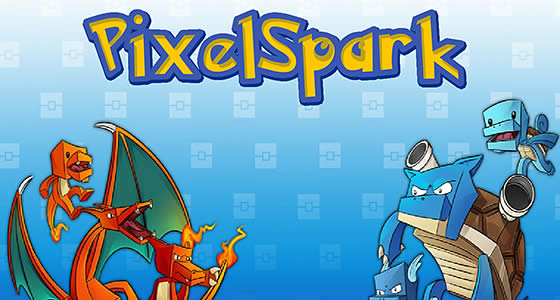
How to Host a PokePack Server
Hosting an PokePack server for your friends is easy, even if you’re new to Minecraft Modpacks. in 3 easy steps :
- Click "Order PokePack Now" to get started.
- Pay and instantly receive your server details in your inbox.
- Log into Multicraft, PokePack is pre-installed and ready to join.
What else can I do?
- Upload your world with the easy drag-and-drop World Manager.
- Whitelist your friends or make them co-owners.
- Customise config settings directly in the control panel.
- Add extra mods and plugins to your server for more fun.
- Explore 1750+ modpacks with the One Click & Play installer, completely free!
Travel across the lands searching far and ride for the right partners
Important Note – If you are going to play Pokepack, make sure you set your Client RAM correctly. This is to eliminate client lag.
Through Pokepack Server Hosting you’ll find the best partner. The Pixelmon offers the best chance at getting them and rescuing them from the environment. They can help you gather materials to make IronChests or to build up new blocks. Some of these new blocks are used in SecurityCraft to put a lock on everything.
- Through new original designs the Adventure Backpack offer give a refresh for your inventory sorting
- Create Secret Rooms and protect everything from being found easily
- New CustomNPCs allow you to partake in quests or find new ways to do things
- Log waypoints and figure out your next location to visit using the JourneyMap
Watch this Quick Start Guide to Pokepack…
Watch on YouTube
Quick Summary of the Pokepack Modpack
Get a Pik-at this modpack that’s based on the small adorable creatures. Pokepack adds various new structures and weapons you can mess with, but the main appeal of this pack is based around the Pokemon. These powerful entities will require your skills to be utilized well in order to catch and fight against them. While it may seem like a friendly time, there’s more than meets the eye and you’ll have to uncover the truth behind these guys.
What to Expect out of your Pokepack Server
Get through the Pokepack with your new partners in crime. With Pixelmon being the star of the show here, you’ll travel across the lands to get to where you want. There’s many kinds of Pokemon to capture here from shiny variations to legendary beasts. You’ll properly need to store all the items you get from when you fight against these beasts though. Through IronChests you’ll be able to while upgrading storage to collect more rare utensils from these creatures. It’ll also be recommended to put them into Secret Rooms under protection of SecurityCraft blocks. This way your possessions are safe and you can safely work on your journey of catching them all.
Why Choose StickyPiston for Your PokePack Server?
StickyPiston isn’t just another hosting company - we’re the ONLY Minecraft host with 15 years of experience dedicated exclusively to Minecraft. That means we live and breathe this game, just like you. Our obsession with Minecraft ensures you get the smoothest, most reliable hosting experience possible. More Reasons …
We’ve tackled 99% of server problems out there and fixed them, so you can focus on playing without interruptions. Our bulletproof, speed-optimized network keeps your server running flawlessly, letting you enjoy Minecraft all day long without a hitch.
And if something ever goes boom in the night? Our expert team is ready to jump in and help. These are hardcore Minecraft pros who know Vanilla, snapshots, Modpacks, and plugins inside and out. When they’re not helping you, they’re streaming, building minigames, doing MC quizzes or exploring the endless Minecraft universe themselves.
We’ve got you covered with a 14-day money back guarantee - so you can try us out, risk-free. Plus, our managed server support means you’ll never have to go it alone.
Need a break? Deep Freeze your server for just 1.00 (£$€) a month - pause it as long as you need and pick up right where you left off. No hassle, no stress, just flexibility.
So, who else would you trust with your PokePack server?