






Menagerie Server Hosting

Menagerie Server Hosting

  • 4GB Min RAM
  • Curse Modpack Launcher
  • 2.4 Latest Version
  • 1.20.1 MC Version

20% off Minecraft Hosting for the first month.  Use Promo Code MODMAS25

  • 14-Day Moneyback Guarantee
  • 24hr Free Trial Server
  • Premium Support Included
  • Instant Server Setup

How to Host a Menagerie Server

If you’re new to playing Minecraft modpacks, hosting a Menagerie Server for your friends is easier than you think.

  1. Start by Clicking the Order Menagerie button.
  2. Follow the order steps and pay to have your Menagerie server connection info sent to your inbox.
  3. Login to Multicraft panel, Menagerie is pre-installed & ready to join.
  4. Drag & Drop to upload your world save with the World Manager.
  5. Configure your server with the feature packed Multicraft panel.
  6. Need more Modpacks? Use Click & Play installer to add more to an empty server slot (no extra payments or 2nd servers needed!).

Outdated Server? Sorted!
Our modpack library has the latest tested version of Menagerie, and if your server is ever outdated click the Update Server button to have the latest version installed, so your friends can always join.

Risk free hosting, why not start with a 7 Day Hosting Package backed by a 14-Day Moneyback Guarantee so you can discover we’re the best Menagerie server host for you.

We wish you the best Minecraft Modded Adventure ever!

  • Choose from 1352+ modpacks from your modded library, the adventure never ends!
  • Install & swap servers instantly with our "Click & Play Installer".
  • Unlimited and free modpack updates including testing and fixes.
  • Can’t find a modpack? Just ask, we’ll add it to the one-click installer.
  • Made your own modpack? We’ll build you a custom server..
  • Server crashed? Send us a ticket and we can fix it 99.9% of the time.
  • A dedicated support team that can explain optimisations, carry out requests and help you understand your server better.

Get into the depths of research and understand how to make your own Zoo

Work in Menagerie Server Hosting to build a dream zoo. The entire focus of this modpack is around building materials from Architect’s Palette or even the mobs of Recrafted Creatures. Players should focus on the end goal – getting all mobs into their own zoo!

  • Build your very own zoo and learn how to enclose species
  • Discover many types of animals and fictional creatures
  • Gather scrolls to show that your zoo is the best

Get a sneak peak from the trailer for your Menagerie Server…

Quick Summary of the Menagerie Modpack

Menagerie is all about developing and creating your very own zoo! Throughout this modpack, a variety of quests inside of the questbook will aim to assist you finding every single animal. Not only that, it’ll help teach players how to enclose in on them. The more animals found and brought into a zoo, the more the world opens up to everyone.

CurseForge Lag & JAVA Arguments

  • One Click Server Installer

    One Click Installer

    Install hundreds of servers with The “Click & Play Installer”
  • Manager your server worlds

    World Manager

    Create and swap between multiple worlds in one server instance
  • Expand your server with mods, plugins and datapacks

    Mods, Plugins & Datapacks

    Install Forge/Fabric, Spigot/Bukkit to extend your server features
  • Friendly server support

    Managed Server Support

    If your stuck or just crashed, our technical support team can help
  • We've a 14 days moneyback guarantee

    14 Day Guarantee

    You’ll have an excellent time or Get your Money Back
  • Short term 7 day hosting

    7 Day Hosting

    Get your first week discounted and decide if we're right for you
  • DDoS Protection
  • Unlimited Slots
  • Daily Backups
  • Free Sticky Trials
  • 3149+ Minigames
  • Custom Multicraft
  • FTP Access
  • Config Editor
  • Custom Modpacks
  • Short-term hosting
  • 1352+ Modpacks
  • Easy Setup
100% Money Back Guarantee

100% MONEY BACK Guarantee For 14-Days

Purchase With Confidence It’s Risk Free

We will provide a 100% return on your server: If you have any issues, just get in touch with your friendly support team and they’ll either help you out until you get the result you need or give you a speedy refund.

If you like Menagerie you may also like these servers

Curse More Animals server

More Animals

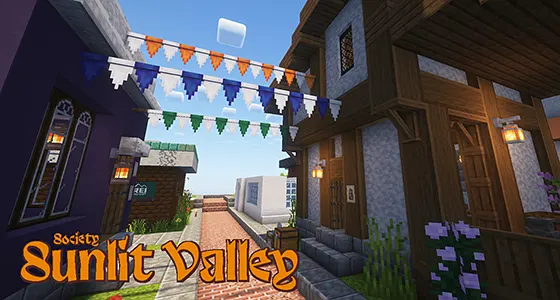
Curse Society: Sunlit Valley server

Society: Sunlit Valley

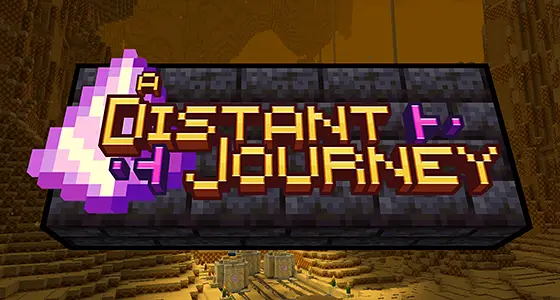
Curse A Distant Journey server

A Distant Journey

Curse ChickenBlock server

ChickenBlock

Curse Digimon Redux server

Digimon Redux

Curse Farming Crossing 4 server

Farming Crossing 4

Curse Industrial Village server

Industrial Village

Curse Peachy's Pixel Place (Equestrian, Adventure & Farming) server

Peachy's Pixel Place (Equestrian, Adventure & Farming)

Memory Requirements & Player Slots

  • Memory Guideline
    To avoid lag or memory errors, order a minimum of 4GB of memory. If you are playing with friends or planning on hosting a public server consider ordering 5GB or more. You won't know your exact requirements until you start building and getting more players on. Don't worry you can quickly upgrade your memory as your server grows. Follow this guide if you need to upgrade.

  • Recommended Max Players is our best guess on how many slots gives good performance per GigaByte of memory. It relates to how many players can join before running into lag or out-of-memory errors. Newer servers with lots of mods/plugins will have less players per GB, you won't know exactly how many players until your server gets busy. You have Unlimited Slots, set this in the control panel, use your slots wisely. It's a guideline not set in bedrock!

Why is Menagerie so Laggy and Stuttering?

The reason is CurseForges' Launcher is missing the default Minecraft JAVA Arguments, without these will cause client lag such as judders or client lockups, commonly known as lag spikes. To fix CurseForge Menagerie lag, do this:

  1. Open the CurseForge app
  2. Click Cog > Minecraft
  3. Add this to Additional Arguments
  4. Increase the Allocated Memory to modpack authors recommended settings
  5. Click the top-right
  6. Restart the Menagerie, for no lag

Everyone who plays on your server will need to do this, share this page with your community.

If you are having problems with Menagerie Contact Support.

What more do you get with StickyPiston when hosting a Menagerie Server?

Short Term 7 Day Server Hosting

If a month is too long, or you are not sure we’re a good server host, start with a 7 day hosting package from $1.49, £0.99, €0.99. You can cancel anytime, and if you decide to stay longer let the server roll over to a monthly package. Don’t worry if you forget to cancel after the 7 days, your 14 day money-back guarantee is valid.

Never get bored! Choose from over 4035 Minecraft Servers

Ordering a StickyPiston server is easy, first Order Menagerie pre-installed & ready to play, then Click & Play other servers without losing progress, additional payments or needing a second server! Install Spigot, PaperMC, Minecraft Maps, Modpacks (FTB, ATL, CurseForge, Modrinth, Technic) into one of the 3 empty instance slots. To play Menagerie again switch the instance back to continue where you logged out.

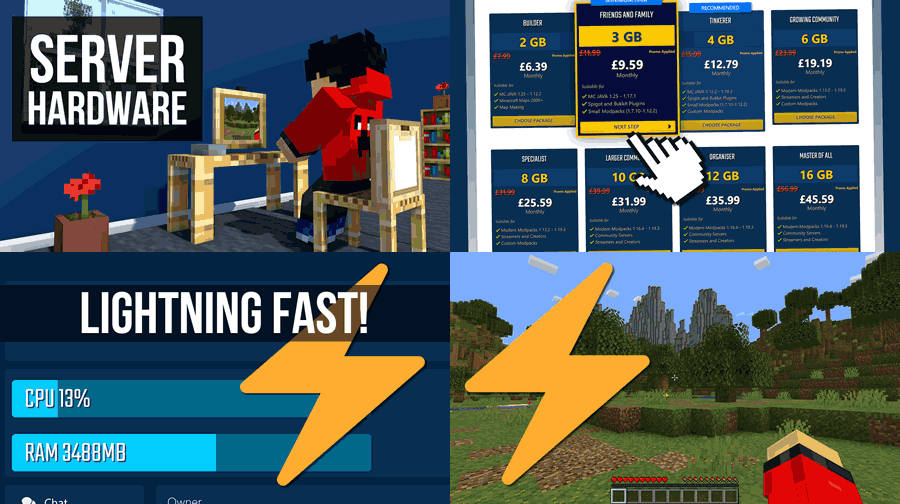
PRO SERVER HARDWARE

Our servers leverage powerful hardware with Linux Ubuntu, directly connected to a gigabit internet backbone. A tailored Multicraft control panel optimizes performance, delivering exceptionally fast load times and minimal latency for a superior Minecrafting experience.
Minecraft Server Specifications

Minecraft Server Hardware

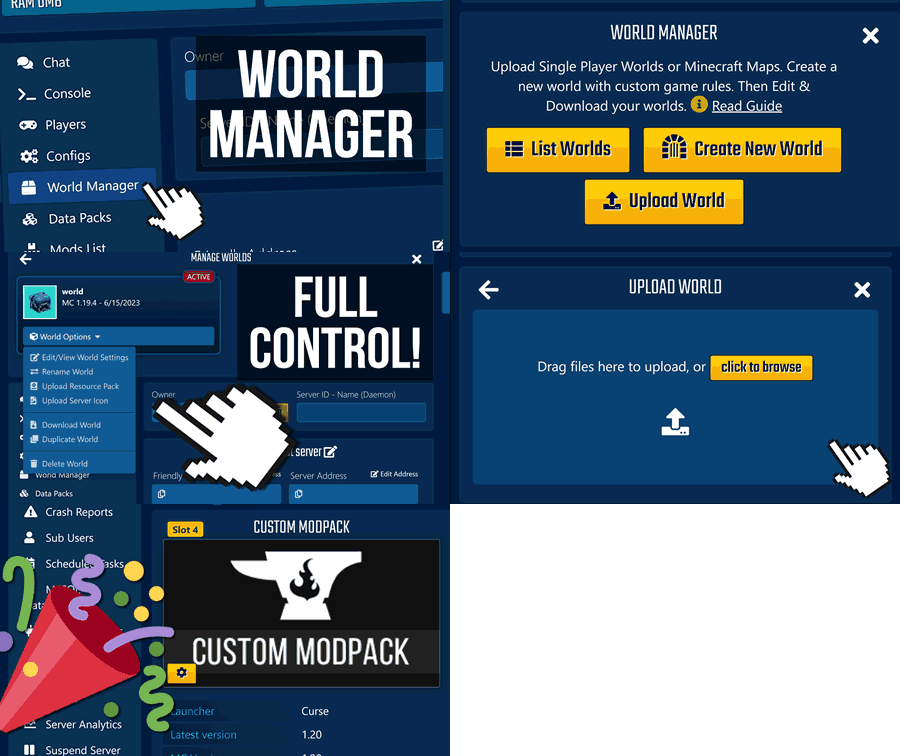
WORLD MANAGER

A complete World Management suite to care of your worlds …Start by dragging n' dropping a zipped world into your server, even works for Minecraft Maps including Resource Pack hosting. Create a new world with any seed, duplicate, download within seconds. Upload 64x64px PNG server icon for your server list.
Minecraft World Manager Guide

Multicraft World Manager

INSTANCE MANAGER

When buying a Modpack Server with StickyPiston you're not tied into that one server. You have 3 empty instance slots to One Click Install any Vanilla, Snapshot, Plugin, Modpack, or Minigames servers such as Diversity 2, Cops and Robbers or Parkour Spiral. When finished, quickly swap or reinstall the instance for something else.

Multicraft One Click Installer

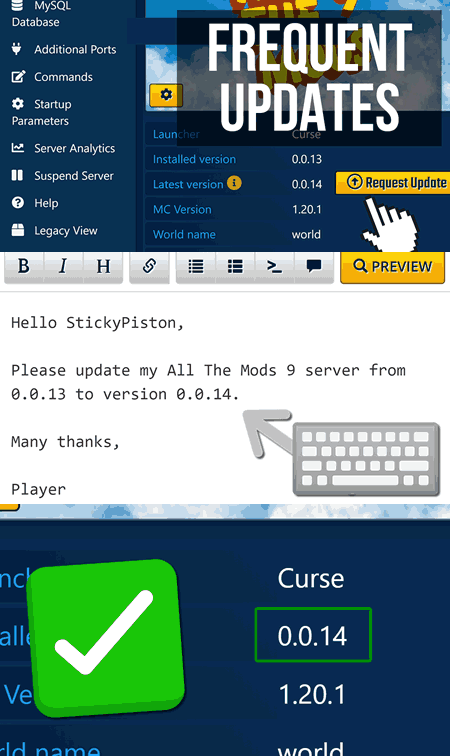
UNLIMITED MODPACK VERSION UPDATES

No 1. reason a Minecraft Server dies is that players can't join due to an outdated server version! This happens when the mods don't match between client and server. SORTED: Click the "Update Server" button to have your server updated to the latest version using our custom modpack updater scripts.

Modpack version updates

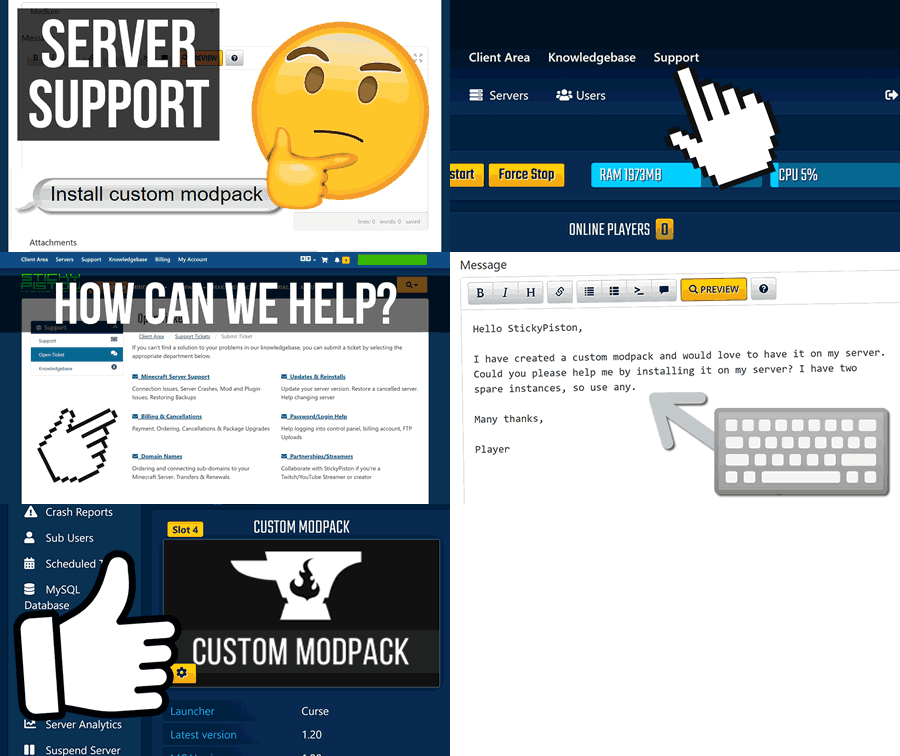
FULLY MANAGED SERVER SUPPORT

Full Server Support is included, not an extra. Here at StickyPiston we give professional advice, detailed support tickets explaining how we fixed your problem, never passing the problem back to you! To date we've solved 99.9% of server problems! This is what real managed Minecraft Hosting is about. If you're on your server when you submit a ticket there's a good chance we'll say hi :D

Fully managed Minecraft server support

MINECRAFT JAR CHANGER / VERSION UPDATER

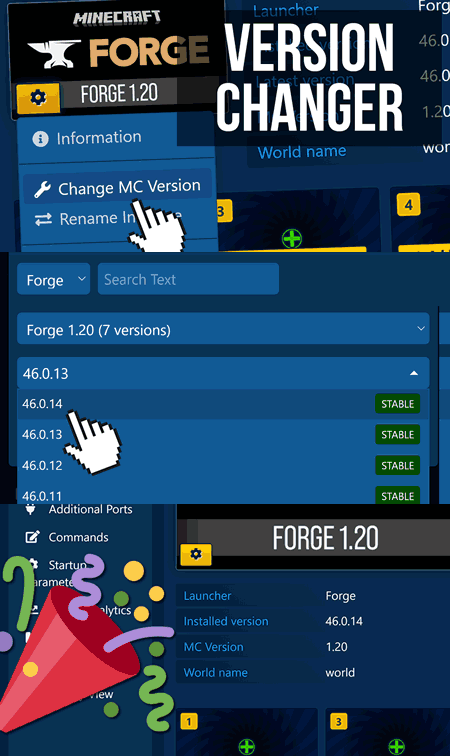
Blink and you miss a Minecraft update! Luckily your Multicraft Control panel alerts you when a new updates available. To change your Minecraft Version click the server icon to choose the MC Version Updater! Update to the latest version, even switch to Spigot/Paper or even modded Fabric/Forge server JARS.

Multicraft Version Changer
100% Money Back Guarantee

100% MONEY BACK Guarantee For 14-Days

Purchase With Confidence It’s Risk Free

We will provide a 100% return on your server: If you have any issues, just get in touch with your friendly support team and they’ll either help you out until you get the result you need or give you a speedy refund.

Why Choose StickyPiston Hosting?

  • Premium Support Included (not an extra cost)
  • DDoS Protection & Offsite Backups
  • One-Click Multiservers, Swap 100's Modpacks & Maps
  • Dedicated Support Staff who know what they're doing